
// the hardware
Ready to shipLinkOPS Box
A network console that lives in the rack, not on your laptop.
A standalone appliance: a Raspberry Pi in a fanless enclosure that boots straight into its own dedicated app. There is nothing to install, nothing to activate and no licence to buy — plug in power and one network cable and the box is on your network doing its job, for as long as you own it.
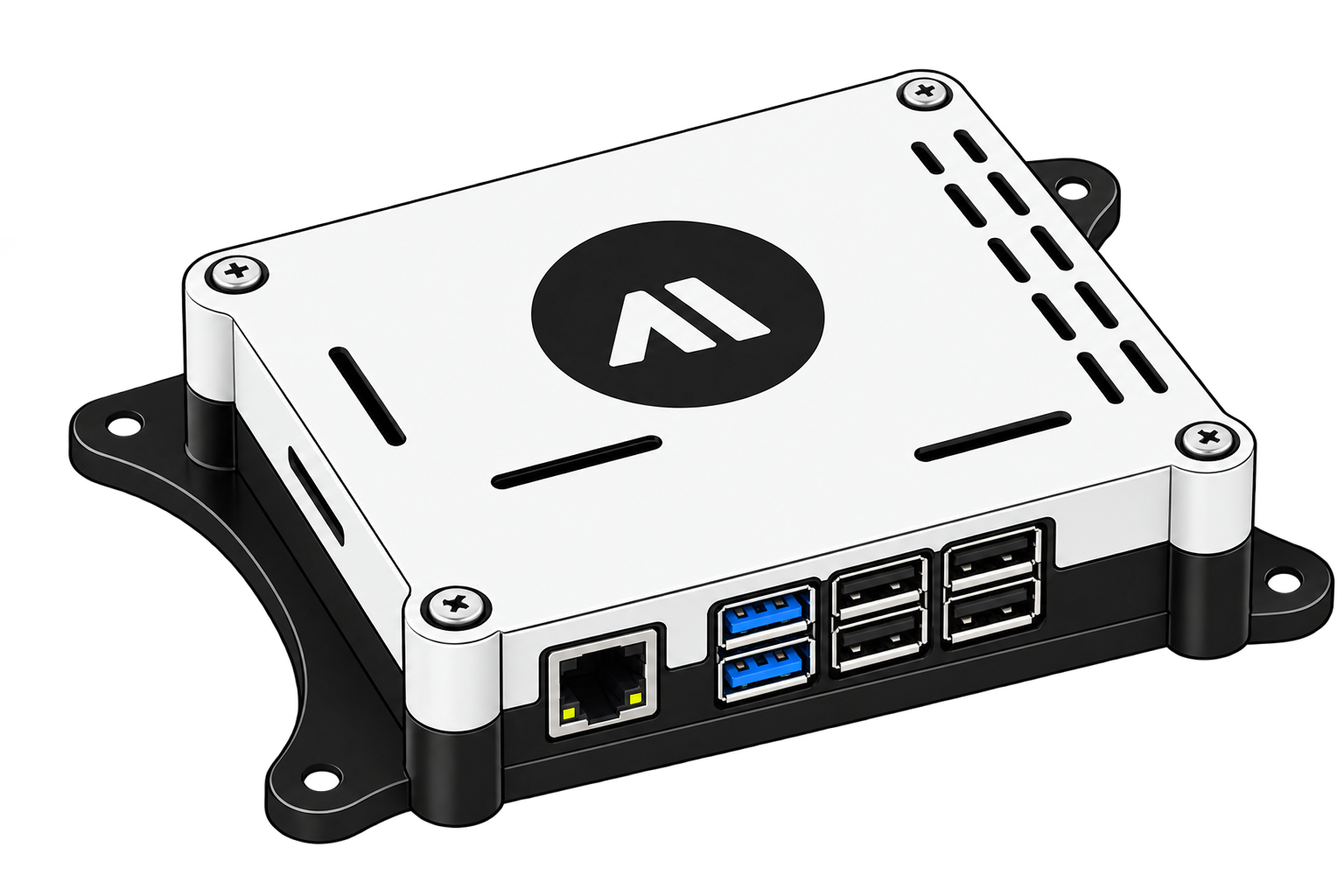 1 GB RAM · 8 GB
// ordering
One box, one price
The box is a product of its own: not a plan, not a subscription and not a licence. You order the unit once, it arrives working, and it keeps working for as long as you own it. The 3, 6 and 12-month plans on the pricing page are for running LinkOPS on machines you already own.
One-time purchase · no licence · no subscription · yours for life
- The complete unit, assembled around a Raspberry Pi
- Its own dedicated app, installed and ready to run
- No licence, no subscription, no expiry — yours for life
- Software updates and email support
- Power supply and the wall-mount hardware
Message us on Telegram or Instagram and we will confirm stock, shipping and payment, then send the tracking number.
What the box does by itself
Its own app
A dedicated app that starts itself at boot — nothing to install and no keyboard to plug in
Always on
Fanless and silent, with no disk: nothing in the rack to wear out or start humming
On your network
Ethernet or Wi-Fi with a fixed address, managed from another machine on the same LAN
A product of its own
Independent of the LinkOPS desktop client: no licence key, no subscription and no dependency on it
One price covers the hardware and its app. Shipping and any local duties are quoted when you order; the boxes are assembled to order and typically leave within a few working days.
Licence plans for machines you already own// box lite
Box Lite — the terminal toolbox in one file
Box Lite is a separate download for machines you already own: a Raspberry Pi, a home server or a VPS with no display. Copy one static binary across and run it — no runtime, no packages, no browser, about 7 MB of RAM while it runs. It is unrelated to the app that ships on the box itself.
What it does on the machine
- Live monitoring: CPU, temperature, memory, disks, network throughput and the processes actually using the host
- A protocol engine for SSH, Telnet, Rlogin and Raw TCP sessions, with prompt detection and paging handled for you
- systemd control, the journal, package upgrades and every log on the machine
- Wi-Fi: scan the neighbourhood, join, leave, renew a lease or pin a static address
- Power menu: shut down, reboot, schedule either five minutes out with a wall message, or cancel a pending shutdown
- 18 themes, an ASCII glyph set for serial consoles, and a full-screen shell for vim, htop and apt menus
download · v1.0.0
linux · darwin · windows- Raspberry Pi OS 64-bitlinux / arm64Raspberry Pi 3, 4, 5 and Zero 2 W running the 64-bit image2.7 MB
- Raspberry Pi OS 32-bitlinux / armv7Raspberry Pi 2, 3 and 4 running the 32-bit image2.9 MB
- Linux servers & VPSlinux / amd64Debian, Ubuntu, Alpine or any x86-64 Linux host2.9 MB
- macOS (Apple silicon)darwin / arm64For a Mac on the desk or over SSH from a terminal2.7 MB
- Windows · x64windows / amd64Run it in Windows Terminal or over SSH3.1 MB
Every build is a stripped static binary: unpack the archive, copy the file anywhere on the target and run it.
Install in one line
doctor checks the terminal, the config directory, the local shell, sudo and the network backend before you trust the host to it — then the app writes its own config directory and starts.
Read the guideWhat the host needs
- Any Linux host with SSH: Raspberry Pi OS, Debian, Ubuntu, Alpine, DietPi
- A terminal: ssh from anywhere, a serial console, or a keyboard on the board
- Nothing to install: copy one binary, chmod +x, run
- Optional — a sudo password or NOPASSWD sudo, for power, service and Wi-Fi changes
- Optional — NetworkManager (nmcli) or wpa_supplicant + iw, for the Network screen
// themes
A theme for the screen you actually have
Monochrome for a serial console, paper and ice for daylight, contrast for a bright room or tired eyes, OLED black for a dark one, and a dozen coloured palettes in between. The gallery previews each one against the interface, and the choice is remembered with the rest of the settings.
Generated from the application: every swatch below is a value the renderer uses, read out of the binary itself.
// deployment
Getting it onto a box
Four steps, none of which needs a package manager on the target. The first run tells you whether the machine can do what the interface promises.
Copy one file
The build script cross-compiles every target on your workstation, so Go is never needed on the Pi. The deploy helper streams the binary over SSH and verifies its SHA-256 on arrival.
Check the machine
doctor reads the terminal capabilities, the config directory, the local shell, sudo, the network backend and the tools the features depend on — and prints what to fix.
Add your devices
The inventory is the same file the desktop app writes, with secrets sealed under a key that never leaves the machine — so a Pi can be set up from a script without a password ever reaching the disk in clear text.
Put it on a timer
Every screen has a headless twin. The status command exits 0, 1 or 2 by health, which is what makes it usable directly as a monitoring check.
As a systemd service
For continuous metrics, run the same binary as a service. It appends JSONL that a dashboard or an alert rule can read.
The same binary is the interface and the CLI, so a cron job and a keyboard session cannot disagree about what the machine is doing.
// box lite questions
Questions that come up
The ones an operator asks before putting a binary on a production box.
Does Box Lite need a licence of its own?
No. It is part of LinkOPS Desktop: one licence covers the desktop app, the terminal app and the Android client, and all three read the same inventory, credentials and history.
Does the Pi need Go, Node or Docker?
None of them. It is a single static binary with no runtime. Go and Docker are used only on your workstation, to build it.
What can it do that the desktop app cannot?
Run without a display. It is built for a Raspberry Pi over SSH, a serial console or a VPS with no desktop — the same protocol engine and the same device store, drawing into a terminal instead of a window.
How do I shut the box down when nobody is at the keyboard?
The System screen has the power menu: s shuts down, b reboots, S and B schedule them five minutes out with a wall message, and c cancels a pending shutdown. The same actions are available as `linkops-lite power shutdown|reboot|cancel`.
Does the Network screen work without NetworkManager?
You always get interfaces, addresses, gateway and DNS. Joining a Wi-Fi network needs nmcli, or wpa_supplicant with iw for the scan — and doctor tells you which of them the host has.
Can I use it from a script or a cron job?
Every screen has a headless twin: status (exit code 0/1/2 by health), exec, template, services, net, history and frame — all with --json output where a dashboard wants it.
What terminal does it need?
Anything 80×24 and up. Icons and colour are detected from the terminal and the locale, and there is a pure-ASCII glyph set for a Linux console, a serial line or a dumb emulator.
Is it safe to leave running?
It holds no open connection while idle, writes only to its own config directory, and seals everything it stores. The metrics collector mode is a single process with a bounded RSS and about a megabyte of disk per day.
Put a box in the rack and forget about it.
One device, its own app, one price — working the moment you plug it in, and yours for life.
Measured on a Raspberry Pi 3 Model B Rev 1.2 (905 MB RAM, Raspberry Pi OS 64-bit) — the slowest board LinkOPS Lite supports.