
// androidNow available

Your network, in your pocket.

The whole LinkOPS toolbox rebuilt for the phone: connect to switches, routers and firewalls over SSH, Telnet, Rlogin or Raw TCP, run commands, watch batch runs finish — from the field, the data centre or the train.

version 3.0.1 · APKAndroid 7.0 and newerFully offline — no account, no cloud

Point your phone camera at the code to start the download.

Signed release build · licence verified on the device · credentials never leave the phone.
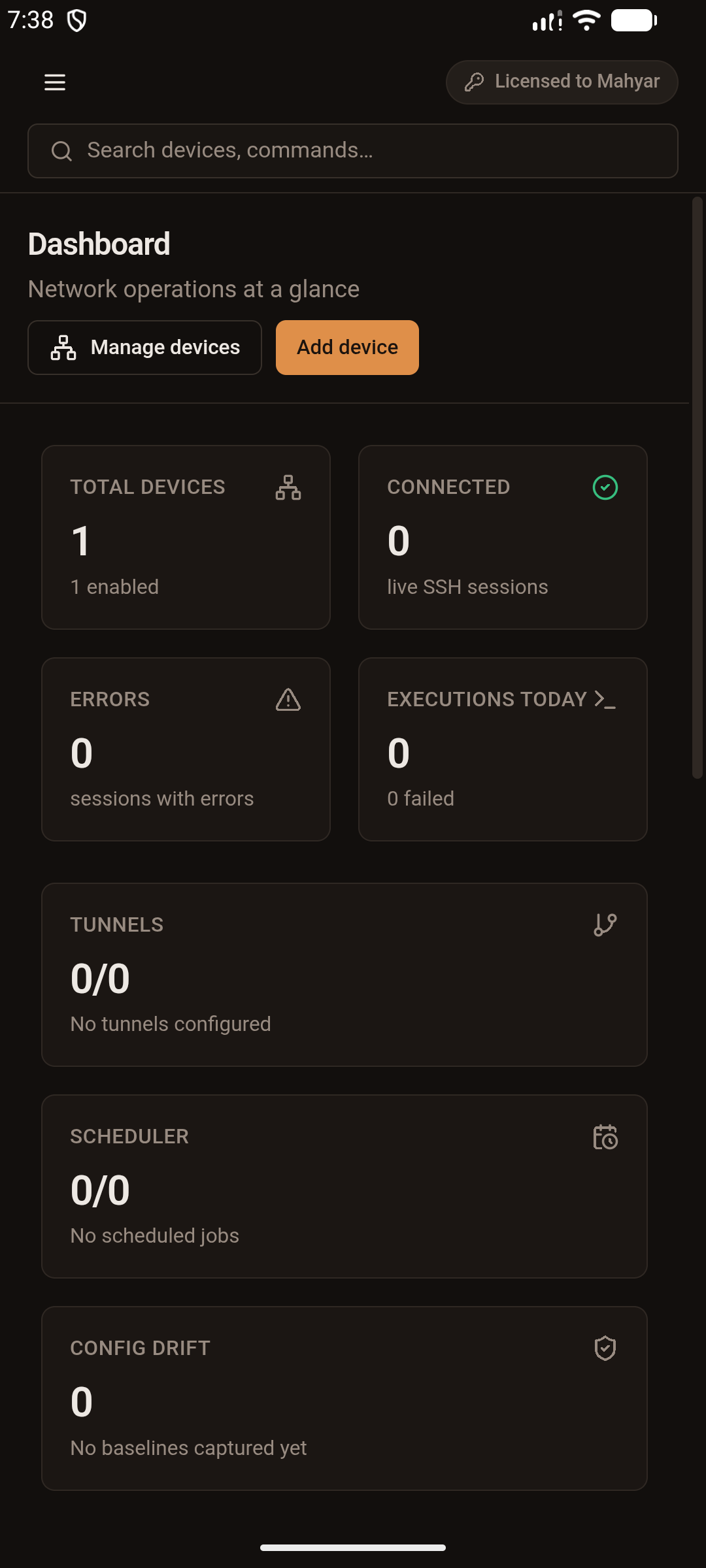
Dashboard — LinkOPS for Android

// features

Everything that matters on a 6-inch screen

The mobile build shares the same engine as the desktop app, so nothing here is a stripped-down “lite” edition.

Real terminal sessions

ANSI colours, live search and copy in a touch-friendly terminal with a dedicated command bar.

SSH · Telnet · Rlogin · Raw

Every protocol the desktop speaks, with per-device ports, saved profiles and encrypted credentials.

Command templates

Fire your standard show / display commands with one tap and keep the output in history.

Batch runs across devices

Push one command to a whole group and follow per-device progress while you walk the racks.

Config backups & baselines

Snapshot running-configs, diff two versions and see how far a device drifted from its golden config.

Inventory that fits

Devices, categories, tags and shared users — search, filter and edit everything offline.

App lock & secret storage

A password gate plus Keystore-backed encryption for every password and private key.

Bilingual by design

English and فارسی with a full RTL layout, following your system theme.

// screenshots

Straight from an Android device

No mockups — these are captures of the shipping build running on Android.

Dashboard — LinkOPS for Android
01 / 06

screens in the build

Move with the ← → keys, the arrows beside the phone, or by picking a screen from this list. Every image is a capture of the shipping build on a real Android device.

// requirements

What you need

Android version

Android 7.0 (API 24) or newer

Architecture

ARM64 (arm64-v8a)

Download size

Around —

Permissions

Network access, notifications for job results, secure storage

Licence

One key covers desktop and Android — activate it once in the app

Offline

Yes — verification, database and commands all run on the device

// install

Install in under a minute

  1. 1Download the APK on your phone, or scan the QR code above.
  2. 2Open the file and allow installation from this source when Android asks — the normal flow for apps distributed outside the Play Store.
  3. 3Launch LinkOPS, paste your licence key on the activation screen and you are in.
  4. 4Add your first device: name, host, port, credentials and protocol — all stored encrypted on the phone.

The APK is signed with the LinkOPS release key, so a newer build updates the app in place — no data is lost.

Same data model as the desktop: export a backup from one and import it on the other.

// faq

Questions engineers actually ask

Is the Android app a cut-down version?+

No. It runs the same services, protocols and database layer as the desktop app; only the layout changes to fit a touch screen.

Do I need to buy a second licence?+

A floating licence works on both. Machine-bound keys are tied to one device, so order a key for the phone — or a floating one — if you plan to use both.

What happens when the app goes to the background?+

Sessions and scheduled jobs live as long as the app is running in the foreground. For very long batch runs, keep the screen on or use the desktop.

Where are my credentials stored?+

Encrypted with a key held in the Android Keystore. Nothing is uploaded anywhere — LinkOPS has no cloud component.

Does it need an internet connection?+

Only to reach your own devices. Licence verification, the database and every command run locally, so an isolated lab works with no internet at all.

Grab the APK and try it on your own gear.

Windows, Linux, macOS or Android — one licence, one toolset.